
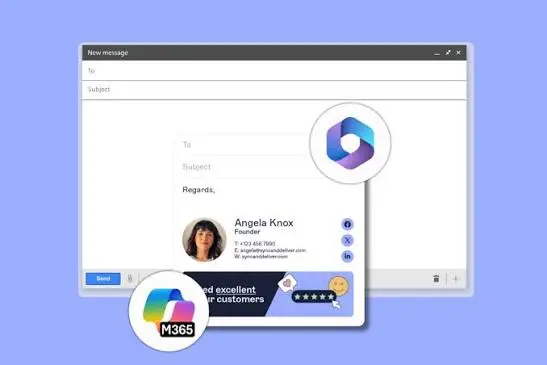
An email signature seems like one of the simplest parts of business communication. You add your name, job title, phone number, and company logo, then forget about it.
That works when a business has five employees. Once the team grows to fifty, a hundred, or several hundred people, things become less straightforward.
Someone uses an outdated logo. Another employee forgets to update their phone number. A new starter copies a colleague’s signature and accidentally keeps the wrong department details. Before long, the company has dozens of different signatures appearing in customer emails.
For businesses using Microsoft 365, keeping email signatures consistent can become a surprisingly time-consuming responsibility.
The Problem With Letting Employees Manage Their Own Signatures
Most employees don’t spend much time thinking about their email signatures. They create one when they join the company and rarely touch it again.
Unfortunately, that creates several problems.
Marketing might introduce new branding, but half the team continues using the previous logo. Human resources might update job titles, yet employees forget to change their details. Some people add inspirational quotes, while others include oversized images that make emails difficult to read.
These differences might seem harmless individually. Together, they can make a business look disorganized.
Consider a customer receiving emails from three employees at the same company. One signature looks professional, another has broken formatting, and the third contains an outdated website address.
The customer probably won’t complain. They may, however, notice the inconsistency.
Why Outlook Signatures Aren’t Always Enough
Microsoft Outlook provides built-in tools for creating email signatures. For individual users, these features can work perfectly well.
The difficulty appears when an organization needs centralized control.
Employees may use Outlook on desktop computers, mobile phones, and web browsers. Depending on their configuration and the features available to them, signature behavior can vary between devices and applications.
Even when signature synchronization is available, administrators may still need more control over design, departmental information, and company-wide updates.
Imagine a business changing its main telephone number.
Without a centralized process, someone needs to tell every employee to update their signature. Then comes the difficult part: checking whether everyone actually made the change.
Some employees will update it immediately. Others might miss the announcement entirely.
For an IT department already handling account access, security, and technical support, manually correcting email signatures isn’t a particularly good use of time.
Centralized Signature Management Changes the Process
Instead of asking employees to maintain their own signatures, businesses can use dedicated software to manage them centrally.
With Microsoft 365 signature software, organizations can establish consistent email signature templates and reduce the need for individual employees to make routine changes.
The idea is straightforward.
An administrator creates an approved design containing the company logo, contact information, and required formatting. Employee-specific information can then be populated using directory data, depending on the software’s configuration and available integrations.
When someone changes departments or receives a new job title, updated directory information can be reflected in their signature without requiring them to redesign it.
This approach becomes especially useful for organizations with multiple offices or departments.
A sales employee might need a different contact number from someone working in customer support. Regional offices may require different addresses or legal notices.
Centralized management allows these differences to be handled through defined rules rather than individual guesswork.
Consistency Matters More Than Fancy Design
Businesses sometimes make email signatures unnecessarily complicated.
They add multiple promotional banners, several social media icons, lengthy disclaimers, and large graphics. The result might look impressive in a design preview but become frustrating in an actual email conversation.
A useful signature should make essential information easy to find.
The recipient should quickly recognize who sent the message, what their role is, and how to contact them.
Good signature design usually involves readable fonts, sensible spacing, appropriately sized images, and a clear visual hierarchy.
It also needs to work reasonably well on smaller screens.
Many customers read business emails on their phones. A signature that occupies half the screen or requires horizontal scrolling creates unnecessary friction.
Consistency doesn’t mean every employee must have identical information. It means everyone follows the same design standards.
Email Signatures Can Support Marketing Campaigns
There’s another reason businesses pay attention to email signatures: they appear in communications that employees are already sending.
Think about how many emails a typical organization sends each day.
Sales representatives answer inquiries. Account managers contact clients. Support teams respond to questions. Managers communicate with suppliers.
Each message creates an opportunity to display relevant company information.
For example, a business launching a new service might include a small promotional banner beneath employee contact details.
A company hosting an industry event could temporarily feature registration information.
The advantage of centralized management is that marketing teams can coordinate these changes without asking every employee to edit their signature manually.
Still, restraint matters.
A promotional banner should complement the email rather than distract from its purpose. Recipients generally open business messages to read the actual conversation, not to examine advertising graphics.
Campaigns also need appropriate targeting. A promotion relevant to prospective customers may not belong in every internal message.
Security and Compliance Deserve Attention
Email signatures sometimes contain legal disclaimers, confidentiality notices, or regulatory information.
For certain organizations, ensuring that appropriate notices appear in outgoing messages is part of their communication policy.
Centralized software can help administrators apply standardized wording and reduce the risk of employees accidentally deleting required text.
However, an email disclaimer doesn’t automatically make a business compliant with privacy or industry regulations.
Legal obligations depend on the organization, its location, and the information being communicated.
Businesses should confirm their requirements with qualified advisers rather than assuming a signature template satisfies every obligation.
Security is another consideration.
Before adopting a signature management platform, IT teams should understand how the software connects to Microsoft 365, what permissions it requires, and whether email content is processed by external services.
They should also examine data handling practices, authentication controls, and vendor security documentation.
Convenience is valuable, but it shouldn’t come at the expense of responsible access management.
What to Check Before Choosing Signature Software
Not every organization needs the same features.
A small company with ten employees might simply want consistent branding. A larger organization operating across several countries may require different languages, regional addresses, and department-specific templates.
Before selecting a solution, administrators should consider how signatures will be applied.
Some products insert signatures while emails are being composed. Others apply them after messages are sent through a processing service. Certain platforms offer both approaches.
Each method has practical differences.
Employees may want to see their signature before sending a message. Administrators, meanwhile, might prioritize ensuring that approved signatures appear consistently across supported devices.
It’s also worth checking how the software handles replies and forwarded messages. Repeated signatures can make long email threads unnecessarily cluttered.
Testing should include mobile devices, shared mailboxes, external recipients, and different email clients.
A short pilot with employees from several departments can reveal formatting problems before the software is introduced across the entire company.
When Does Centralized Management Make Sense?
There’s no magic employee count that makes signature management software necessary.
The better question is how much time the organization spends maintaining signatures and correcting inconsistencies.
If changes happen rarely and everyone uses the same simple template, manual management might be sufficient.
But if the business frequently updates employee information, runs promotional campaigns, or manages multiple locations, centralized controls can become worthwhile.
The benefits are particularly noticeable when employees join or leave regularly.
Instead of relying on each new starter to build a signature correctly, administrators can apply an approved template as part of the onboarding process.
The same principle applies when branding changes. One coordinated update is easier to manage than dozens of separate requests.
Small Details Still Shape Professional Communication
An email signature won’t win a customer on its own. It won’t compensate for poor service or unclear communication.
But it does contribute to the overall impression a business creates.
Accurate contact details make employees easier to reach. Consistent branding helps recipients recognize the organization. Well-managed templates reduce repetitive administrative work.
For companies already using Microsoft 365, the decision comes down to whether individual signature management still makes practical sense.
As teams grow, maintaining consistency manually often becomes harder than expected. A centralized approach can turn an overlooked administrative task into a manageable part of everyday business communication.
Also Read
- 18+ Unique Similes for Life (2026) – Creative, Deep & Easy Examples
- What Changes When You Move Up The Residential Property Ladder
- Furniture Storage Dubai: Practical Self Storage Dubai Choices